
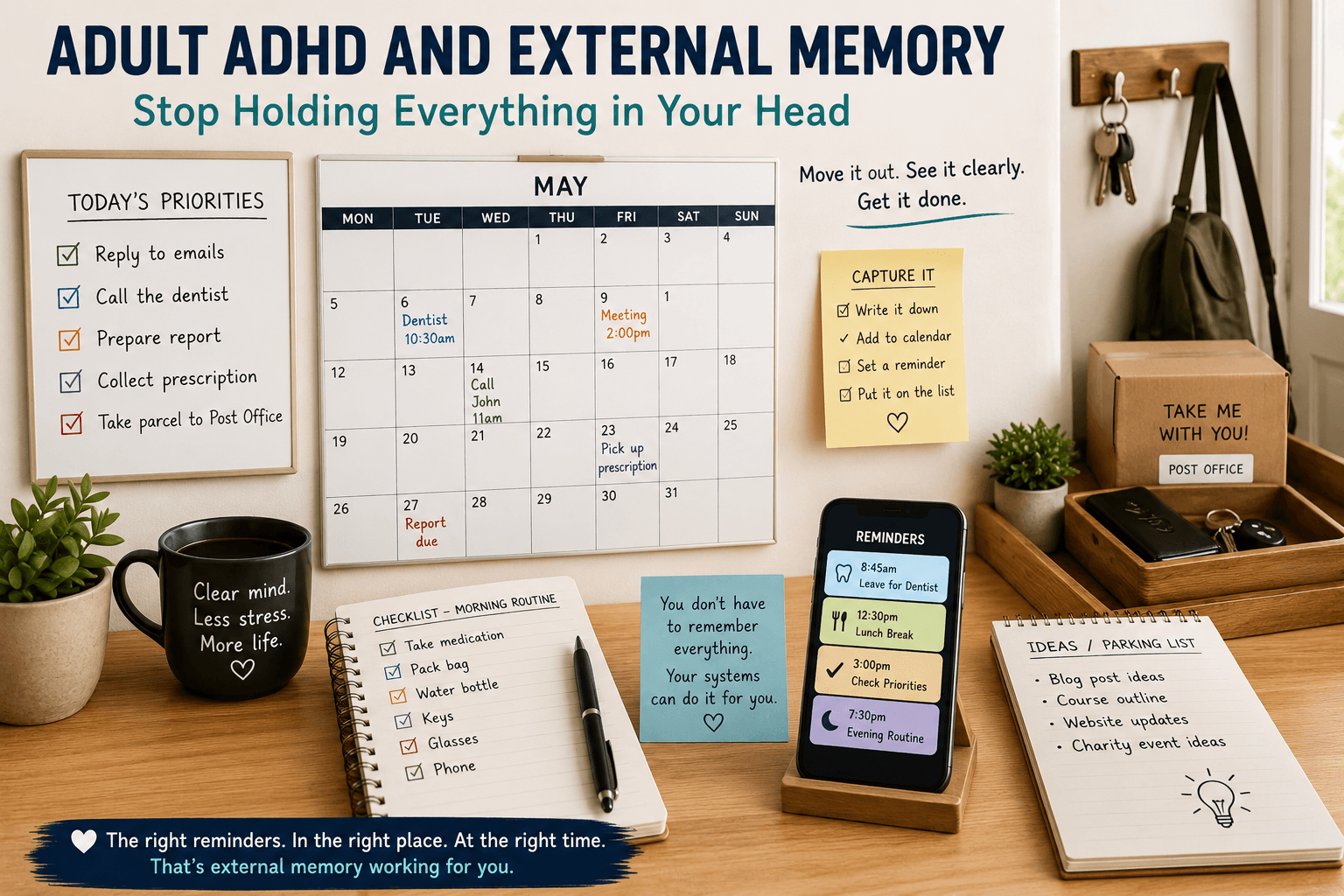
Adult ADHD and External Memory: How to Stop Holding Everything in Your Head
Adult ADHD and external memory can be a powerful combination when everyday life feels full of things you must remember.
Call the dentist.
Reply to that email.
Buy milk.
Pay the bill.
Take something to work tomorrow.
Book the appointment.
Send the form.
Remember someone’s birthday.
At first, each item seems manageable. However, as more things arrive, your mind starts carrying an increasingly long invisible list.
Then something else happens.
You walk into another room.
The phone rings.
Someone asks you a question.
A notification appears.
Suddenly, the thing you were determined to remember has disappeared.
Later, it returns:
“I knew there was something I needed to do.”
This can be frustrating. However, the solution does not always involve trying harder to remember.
Instead, it may be more useful to stop asking your brain to store so much information in the first place.
That is where external memory can help.
What Is External Memory?
External memory simply means storing information somewhere outside your head so that you do not have to keep actively remembering it.
For example, external memory can include:
- calendars;
- alarms;
- written lists;
- sticky notes;
- phone reminders;
- whiteboards;
- notebooks;
- visual cues;
- labelled baskets;
- checklists.
These tools are simple. Nevertheless, they can perform an important job.
They hold information until you need it.
As a result, your attention can remain available for what you are doing now.
Why Adult ADHD and External Memory Can Work Together
Working memory allows us to temporarily hold information while using it.
For example, you may need to remember several steps while completing a task.
However, distractions, interruptions and competing information can make this more difficult.
Imagine you think:
“I need to take that parcel with me when I leave.”
Then you receive a telephone call.
Afterwards, you answer an email.
Meanwhile, someone asks you a question.
When you eventually leave, the parcel is still sitting inside.
The intention was real.
Yet, the reminder existed only in your head.
An external system changes this.
Instead of trying to remember the parcel, you place it beside the front door.
Now the environment reminds you.
Therefore, adult ADHD and external memory are not about replacing your memory. They are about reducing how much information your memory is expected to carry at once.
Your Brain Does Not Need to Be the Storage System
Many people treat remembering as a test of responsibility.
They think:
“I should be able to remember this.”
However, that question may not be particularly useful.
A better question is:
“Why am I relying on memory when I could create a reliable reminder?”
We already accept this principle in many areas of life.
We use calendars for appointments.
Satnav for directions.
Contact lists for telephone numbers.
Shopping lists for groceries.
Therefore, using external memory for everyday tasks is simply an extension of something people already do.
Capture It Before It Disappears
One of the most useful habits is simple:
When something important enters your mind, capture it.
Do not assume:
“I’ll remember that later.”
Instead, write it down.
Add it to your calendar.
Set a reminder.
Put it on the list.
Most importantly, make the capture process quick.
If recording a thought requires opening three apps, finding the correct folder and choosing several categories, you may stop using the system.
Therefore, the easiest capture system often works best.
Use One Main Capture Point
Having too many reminder systems can create another problem.
One task is in your phone.
Another is on a sticky note.
A third is in an email.
Several are in a notebook.
Another exists only in your head.
As a result, you now need to remember where your reminders are.
That defeats the purpose.
Instead, consider having one main capture point for everyday tasks.
This might be:
- one notebook;
- one notes app;
- one task app;
- one paper list.
Other systems can still exist. However, new tasks should have one obvious first destination.
Use Your Calendar for Things That Happen at a Time
A calendar is particularly useful for appointments and time-specific commitments.
For example:
Dentist — Tuesday at 10:30.
Meeting — Thursday at 2:00.
Call — Friday at 11:00.
School event — Monday at 4:00.
If something must happen on a specific date or time, place it in the calendar.
Then, add a reminder early enough to act.
A reminder five minutes before an appointment may be too late if you need thirty minutes to travel.
Therefore, think about when you actually need the information, not simply when the event begins.
Use a Task List for Actions
Not everything belongs in the calendar.
For example:
Buy batteries.
Reply to Sarah.
Complete insurance form.
Order printer ink.
These are actions rather than appointments.
Therefore, they may work better on a task list.
This distinction keeps the calendar clearer.
In simple terms:
Calendar = when.
Task list = what.
That small separation can make both systems easier to understand.
Adult ADHD and External Memory Through Visual Cues
Sometimes a written reminder is not enough.
You may write something down and then forget to look at the list.
Therefore, visual cues can be particularly useful.
For example:
Put the parcel beside the door.
Place the document on top of your bag.
Leave the empty medicine box somewhere visible as a reminder to reorder it.
Put your gym shoes beside the door.
In each case, the object itself becomes part of the reminder.
The environment is now carrying some of the memory load.
Put the Reminder Where the Action Happens
A reminder works best when it appears at the right moment.
Suppose you need to take something upstairs.
A note on your office desk may not help.
Instead, put the item at the bottom of the stairs.
Need to remember something when leaving?
Put it beside the door.
Need to make a call when you arrive at work?
Set a location or time-based reminder where available.
Therefore, ask:
“Where will I be when I need to remember this?”
Then place the reminder there.
Use Alarms for Important Transitions
Alarms are not only for waking up.
They can also support transitions.
For example:
8:45 — Prepare to leave.
12:30 — Lunch.
3:00 — Check today’s priorities.
9:30 — Begin bedtime routine.
The alarm does not complete the task for you.
However, it interrupts the flow of the current activity and brings the next intention back into awareness.
This can be particularly useful when you become deeply absorbed in something.
Give Alarms Meaningful Names
An alarm labelled simply “Alarm” provides very little information.
When it rings, you still need to remember why you created it.
Instead, label it clearly.
For example:
LEAVE FOR DENTIST
PUT BIN OUT
TAKE MEDICATION
CALL JOHN
STOP WORK — PREPARE DINNER
Now the alarm contains both the signal and the instruction.
As a result, there is less to remember.
Do Not Create Too Many Alarms
External memory can become noisy.
If your phone produces reminders constantly, you may begin ignoring them.
Therefore, reserve alarms for things that genuinely benefit from interruption.
Routine tasks may belong on a checklist instead.
Appointments belong in the calendar.
Ideas belong in your capture system.
In this way, each tool has a clearer job.
Create Checklists for Repeated Activities
Repeated activities are ideal for checklists.
Why repeatedly remember the same sequence?
For example, a leaving-home checklist might include:
- phone;
- keys;
- wallet;
- glasses;
- work pass;
- bag.
A travel checklist might include:
- passport;
- tickets;
- charger;
- medication;
- toiletries;
- clothes.
Once the checklist exists, you no longer need to recreate it every time.
You simply follow it.
Adult ADHD and External Memory at Work
Work can involve a large number of small commitments.
Someone asks for information.
An email needs answering.
A meeting creates three actions.
A colleague asks you to call later.
Meanwhile, you are still trying to complete your main work.
If all of those commitments remain in your head, they compete for attention.
Instead, capture them.
At the end of a meeting, write the actions down.
After a telephone call, record the follow-up.
When an idea appears during focused work, place it on your parking list.
As a result, you can return to the current task with greater confidence that the other item has not been lost.
Write Down the Next Action
External memory becomes even more useful when reminders are specific.
For example:
“Insurance”
is vague.
What does it mean?
Call them?
Find the policy?
Pay the renewal?
Compare quotes?
Instead, write:
“Find car insurance renewal email.”
Now the next action is clear.
Similarly:
Instead of “Dentist”, write:
“Call dentist and book check-up.”
Clear actions reduce the amount of thinking required when you return to the task.
Use External Memory for Task Switching
Imagine you are halfway through writing something when you need to stop.
Before leaving, write:
“Next: finish the second paragraph under Conclusion.”
Now you can leave.
Later, when you return, you do not need to reconstruct the entire thought process.
The note provides a starting point.
Therefore, external memory can also support smoother task switching.
This connects directly with the earlier article in this series on transitions.
Create a Tomorrow List Before Finishing Today
At the end of the day, you may already know what tomorrow needs.
Therefore, capture it while the information is still fresh.
Write down:
Tomorrow’s first task.
Important appointment.
Something you need to take with you.
One priority that must not disappear.
Then stop.
As a result, tomorrow does not need to begin with trying to reconstruct yesterday.
The starting point is already waiting.
Externalise Ideas Too
External memory is not only for chores.
It can also protect creativity.
Ideas often arrive at inconvenient times.
In the shower.
While driving.
During another task.
Before sleep.
However, an idea that feels unforgettable can disappear surprisingly quickly.
Therefore, keep a simple place for ideas.
Perhaps a note on your phone.
A small notebook.
A voice note when safe and appropriate.
Then, capture the idea and return to what you were doing.
You do not need to develop it immediately.
You simply need to prevent it from disappearing.
Use a Whiteboard for Visible Priorities
Some people benefit from information being physically visible.
A small whiteboard can show:
TODAY
- Send form.
- Call supplier.
- Collect prescription.
That is enough.
However, avoid turning the board into a storage area for thirty tasks.
If everything is visible, nothing feels important.
Therefore, use the board for current priorities rather than your entire life.
Keep Long Lists Somewhere Else
Your master task list may contain many items.
That is fine.
However, looking at the entire list all day can feel overwhelming.
Instead, separate:
Master list — everything that needs attention eventually.
Today list — what matters today.
This reduces visual and mental overload.
Moreover, it helps distinguish between something that exists and something that requires immediate action.
Adult ADHD and External Memory at Home
Home contains countless small reminders.
Buy food.
Wash clothes.
Pay bills.
Return parcels.
Book appointments.
Remember birthdays.
Repair something.
Therefore, household life can benefit enormously from external memory.
A shared calendar can hold family appointments.
A shopping list can capture items as they run out.
A basket beside the door can hold things that need to leave the house.
A weekly checklist can hold repeated household jobs.
In this way, fewer responsibilities depend on someone remembering them at exactly the right moment.
Use Shared Systems Where Appropriate
If several people need the same information, keeping it inside one person’s head creates unnecessary pressure.
Instead, use shared systems.
For example:
A shared family calendar.
A visible shopping list.
A family whiteboard.
A shared digital note.
As a result, everyone can access the information without repeatedly asking one person.
This can reduce both memory pressure and communication friction.
Make Important Things Visible — But Not Everything
Visibility can support memory.
However, too many visible reminders can create clutter.
If every surface contains a note, eventually the notes become background.
Therefore, be selective.
Make today’s important reminder visible.
Keep less urgent information inside your trusted system.
In other words, visibility should signal importance.
It should not become permanent visual noise.
Build External Memory Into Your Home Zones
External memory works particularly well with the home zones discussed earlier in this series.
For example:
Transition Zone
Keep keys, wallet, outgoing parcels and important items together.
Admin Zone
Keep bills, forms and paperwork requiring action in one place.
Focus Zone
Keep the current task and next-action note visible.
Family Zone
Keep shared schedules and information together.
Therefore, the environment becomes both an organisational system and a memory system.
Reduce the Number of Places Information Can Hide
One common problem is fragmentation.
Appointments in two calendars.
Tasks across three apps.
Notes on several pieces of paper.
Important information buried in messages.
Consequently, finding the information becomes another task.
Therefore, simplify where possible.
One main calendar.
One main task list.
One capture point.
One paperwork action area.
You may still use other tools. However, the fewer places you need to check, the easier the system is to trust.
Trust Is Essential
An external memory system only helps when you trust it.
If you write something down but believe you will never look at it again, your brain may continue trying to remember it.
Therefore, review your system regularly.
Perhaps:
Check calendar every morning.
Review task list at lunch.
Clear the capture list at the end of the day.
Review admin tray once a week.
The review tells your brain:
“If I put something here, I will see it again.”
That makes the system more useful.
Do Not Turn the System Into Another Hobby
Organisation tools can become surprisingly interesting.
New apps.
New notebooks.
Colour coding.
Labels.
Categories.
Automations.
However, the purpose of external memory is to make life simpler.
If maintaining the system requires more effort than remembering the tasks, something has gone wrong.
Therefore, keep asking:
“What is the simplest version that works?”
Often, that is enough.
Adult ADHD and External Memory on Low-Energy Days
External systems become particularly valuable when energy is low.
On a strong day, you may remember several things at once.
However, tiredness, stress or a busy schedule can make that harder.
A checklist does not care how tired you are.
The calendar still contains the appointment.
The parcel remains beside the door.
The note still tells you where to restart.
Therefore, adult ADHD and external memory can create greater consistency across different types of days.
The system carries some of the load when your own capacity changes.
Stop Testing Your Memory
You do not need to prove that you can remember everything.
If something matters, give it support.
Write it down.
Set the reminder.
Put the object beside the door.
Create the checklist.
Add the appointment.
After all, the goal is not to win a memory competition.
The goal is to make everyday life work.
Create a Personal Memory Toolkit
You do not need every tool.
Choose a small combination that suits you.
For example:
Calendar
For appointments and events.
Task List
For actions.
Alarm
For important transitions.
Visual Cue
For something you must physically remember.
Checklist
For repeated routines.
Capture Note
For ideas and new tasks.
Together, these tools create a simple external memory system.
A Simple External Memory Routine
If you want to start without making things complicated, try this:
Morning: Check calendar and today’s priorities.
During the day: Capture new tasks immediately.
Before transitions: Write the next action if you are leaving something unfinished.
Evening: Check tomorrow’s calendar.
Weekly: Review paperwork and longer-term tasks.
That is enough to begin.
Later, you can adjust the system based on what actually helps.
Adult ADHD and External Memory After a Late Diagnosis
After a late ADHD diagnosis, you may recognise years of trying to keep everything in your head.
Perhaps you repeatedly forgot appointments.
Maybe you remembered important tasks at inconvenient times.
You may have developed complicated personal methods without understanding why they helped.
However, recognising the value of external memory can change the question.
Instead of asking:
“Why can’t I remember everything?”
you can ask:
“What system would mean I don’t have to?”
That is a much more practical problem to solve.
Start With One Thing You Keep Forgetting
Do not build an enormous system today.
Choose one repeated problem.
Perhaps you forget your keys.
Maybe you miss appointments.
You might remember tasks at the wrong time.
Then ask:
“What could remember this for me?”
Keys → fixed hook.
Appointment → calendar plus alarm.
Task → written list.
Parcel → beside the door.
Idea → capture note.
Once that problem becomes easier, move to the next one.
Small improvements can gradually create a dependable support system.
Reflection Questions
- What are you currently trying to remember every day?
- Which important things do you most often forget?
- Where do you currently capture new tasks?
- Do you have too many different reminder systems?
- Could one main calendar simplify your appointments?
- Which repeated activity would benefit from a checklist?
- What could you place beside the door as a visual reminder?
- Do your alarms clearly tell you what action to take?
- Which information could be shared rather than kept in your head?
- What is one thing you could externalise today?
Conclusion
Adult ADHD and external memory can reduce the pressure of trying to keep every task, appointment, idea and responsibility active in your mind.
You do not need to remember everything.
Instead, create systems that remember important things for you.
Use a calendar for appointments.
Use a task list for actions.
Use alarms for important transitions.
Use visual cues when the environment can provide the reminder.
In addition, create checklists for routines you repeat.
Most importantly, keep the system simple enough that you will actually use it.
External memory is not about becoming perfectly organised.
Rather, it is about reducing unnecessary mental load.
Therefore, when something important enters your mind, do not automatically tell yourself:
“I must remember that.”
Ask instead:
“Where can I put this so I don’t have to remember it?”
Over time, adult ADHD and external memory can help create a daily life where fewer important things depend on remembering them at exactly the right moment.
SUGGESTED INTERNAL LINKS
- Adult ADHD and Energy Management: How to Work With Your Natural Rhythm
- Adult ADHD and Home Zones: How to Design Spaces That Support Your Brain
DISCLAIMER
This article is provided for general educational and informational purposes only. It does not provide medical, psychological, diagnostic or therapeutic advice. Therefore, it should not be used as a substitute for individual guidance from an appropriately qualified healthcare professional.
Memory and concentration difficulties can have many causes, and ADHD experiences vary considerably between individuals. If you have concerns about significant changes in memory, ADHD, mental health, medication, diagnosis or treatment, please speak with an appropriately qualified healthcare professional.